Suvarix
- 5 minutes read - 899 words
Suvarix
Your money, on your machine.
An offline-first personal finance tracker for Indian investors — every rupee stays on your device, encrypted.
⬇️ Download latest · User Guide · Privacy · Licence / EULA
Demo
What it is
Suvarix tracks your whole net worth in one place — 9 asset classes (equity, mutual funds, FDs, PPF/EPF, gold, crypto, bonds, real estate, insurance), income & expenses, loans & credit cards, net-worth history, allocation, and a 0–100 Financial Health Score.
- 🇮🇳 Built for India — ₹ Cr/L formatting, Indian tax rules, Indian brokers.
- 🔌 Pull your holdings — connect Zerodha, Upstox, or Angel One; import MF Central CAS / Groww CSV / bank statements (HDFC, ICICI).
- 🎯 Stay on track — goals, budgets, bill & FD-maturity reminders, savings streaks.
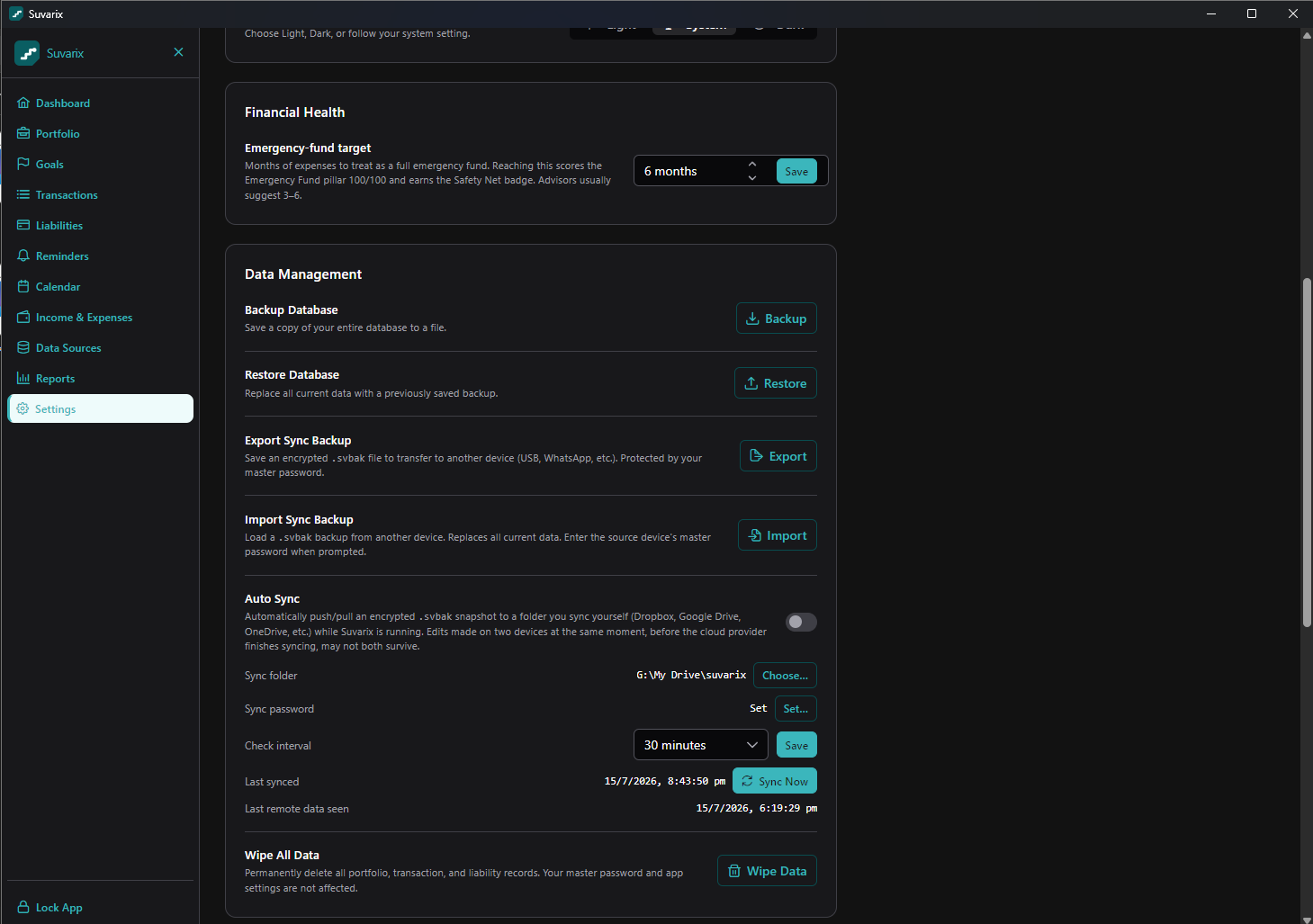
- ☁️ Optional sync — you own the folder (Dropbox / Drive / OneDrive); the snapshot is encrypted end-to-end.
Offline & encrypted — the whole point
- No account. No cloud backend. No telemetry. There is no server to send your data to — because there isn’t one.
- Encrypted at rest with SQLCipher (AES-256). Your master password is the key; it’s never stored and never leaves the device.
- Broker credentials get a second AES-256-GCM layer on top, keyed by your master password.
- Your data leaves only when you tell it to — to a broker’s own API, to fetch public prices, or into your own cloud folder as an encrypted file the developer can’t read.
Full details: Privacy Policy →
Download
| Platform | File | Get it |
|---|---|---|
| Windows 10/11 | .msi installer | Download |
| macOS | .dmg (Apple Silicon / Intel) | Download |
| Linux | .AppImage / .deb | Download |
| Android | .apk (sideload) | Download |
The desktop app auto-updates itself once installed — every release is signed with the developer’s update key and verified before it’s applied. For Android you will need to install new updates manually as of now.
“Is this safe? Windows warned me.”
Short answer: yes, and here’s the honest why.
Windows SmartScreen (and macOS Gatekeeper) show an “unknown publisher” warning for any app that hasn’t yet paid for an OS code-signing certificate. It’s a reputation prompt, not a virus detection. New independent apps all start here until trust builds up.
To install on Windows: on the SmartScreen dialog click More info → Run anyway.
To install on macOS: because the app isn’t notarized yet, Gatekeeper blocks the first launch. Either:
Right-click (or Control-click) the app in Applications → Open → Open again in the dialog; or
if macOS says the app is “damaged / can’t be opened”, clear the download quarantine flag once in Terminal:
xattr -dr com.apple.quarantine /Applications/Suvarix.appThen open it normally. This only tells macOS you trust this file — it doesn’t disable Gatekeeper.
Why you can trust it anyway:
- Nothing phones home. No telemetry, no analytics server, no account. Your finances never touch the internet unless you connect a broker or enable sync.
- Every update is cryptographically signed with a minisign key and verified by the app before installing — a tampered update is rejected automatically.
- Verify your download against the checksums published on each release if you want to be sure the file wasn’t altered in transit.
- OS code signing is on the roadmap, which will remove the SmartScreen prompt entirely.
Screenshots
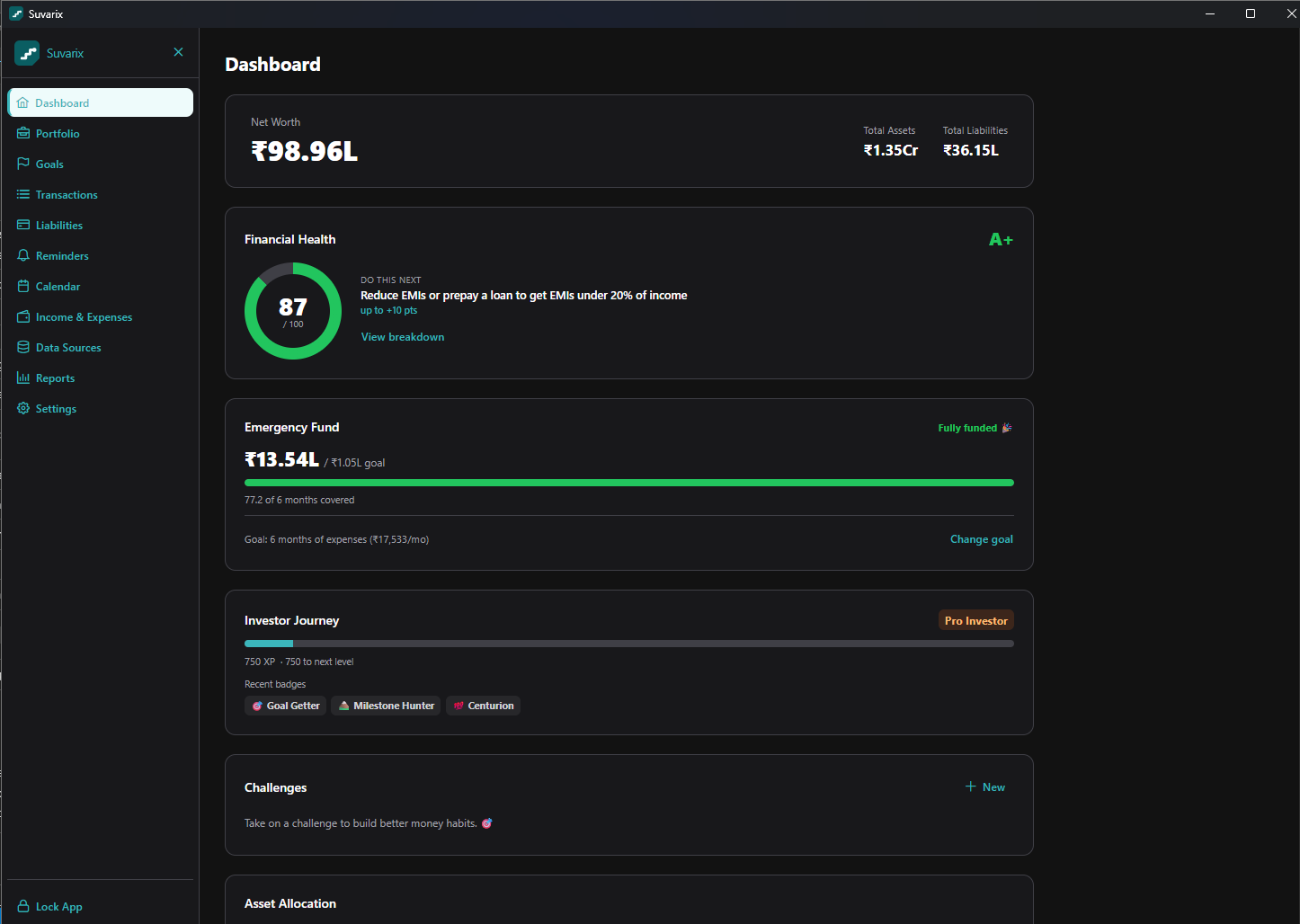
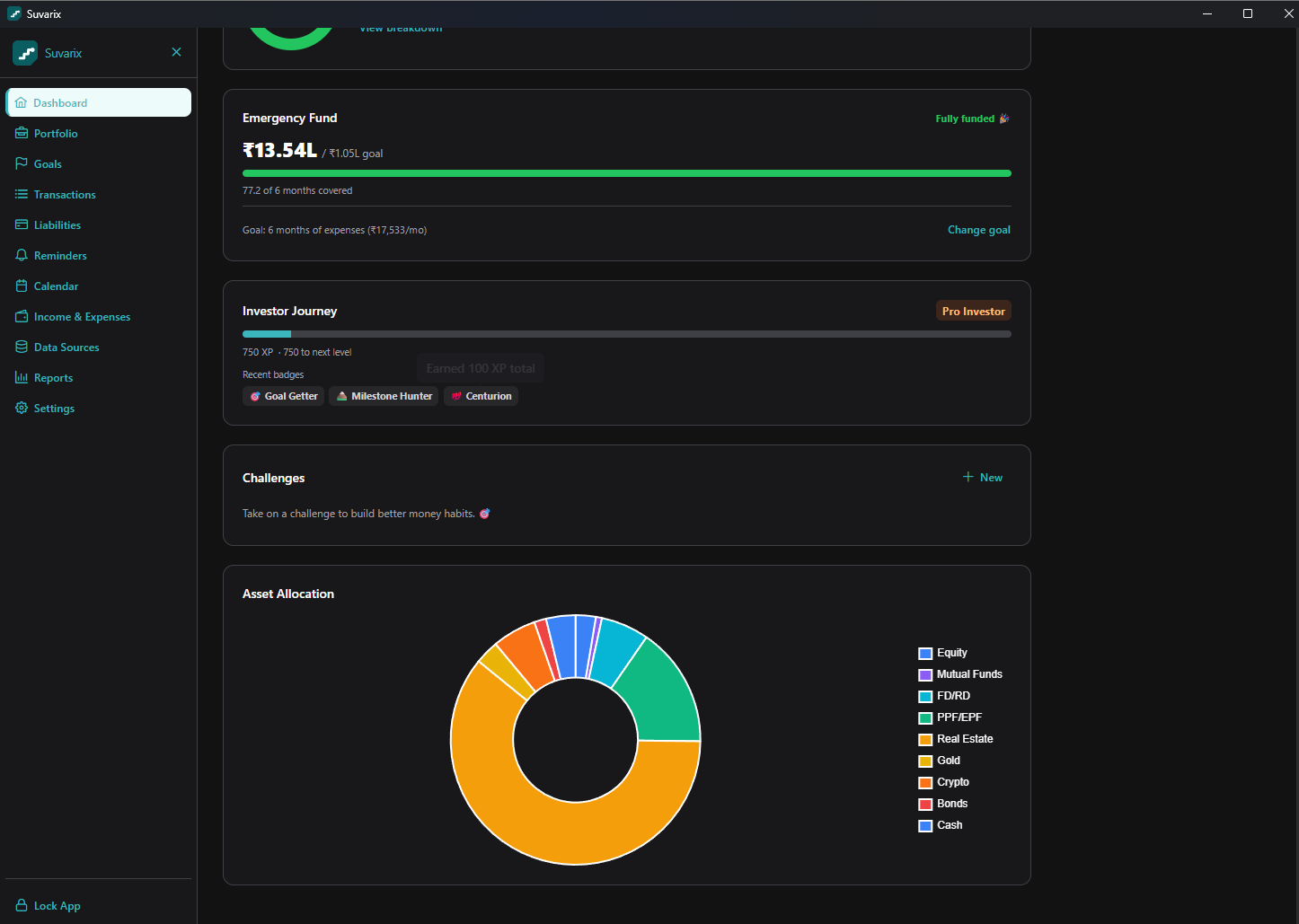
Dashboard — net worth, health score & allocation
A single glance at net worth, a 0–100 Financial Health Score with the next best action, your emergency-fund progress, and an asset-allocation donut across all 9 classes.
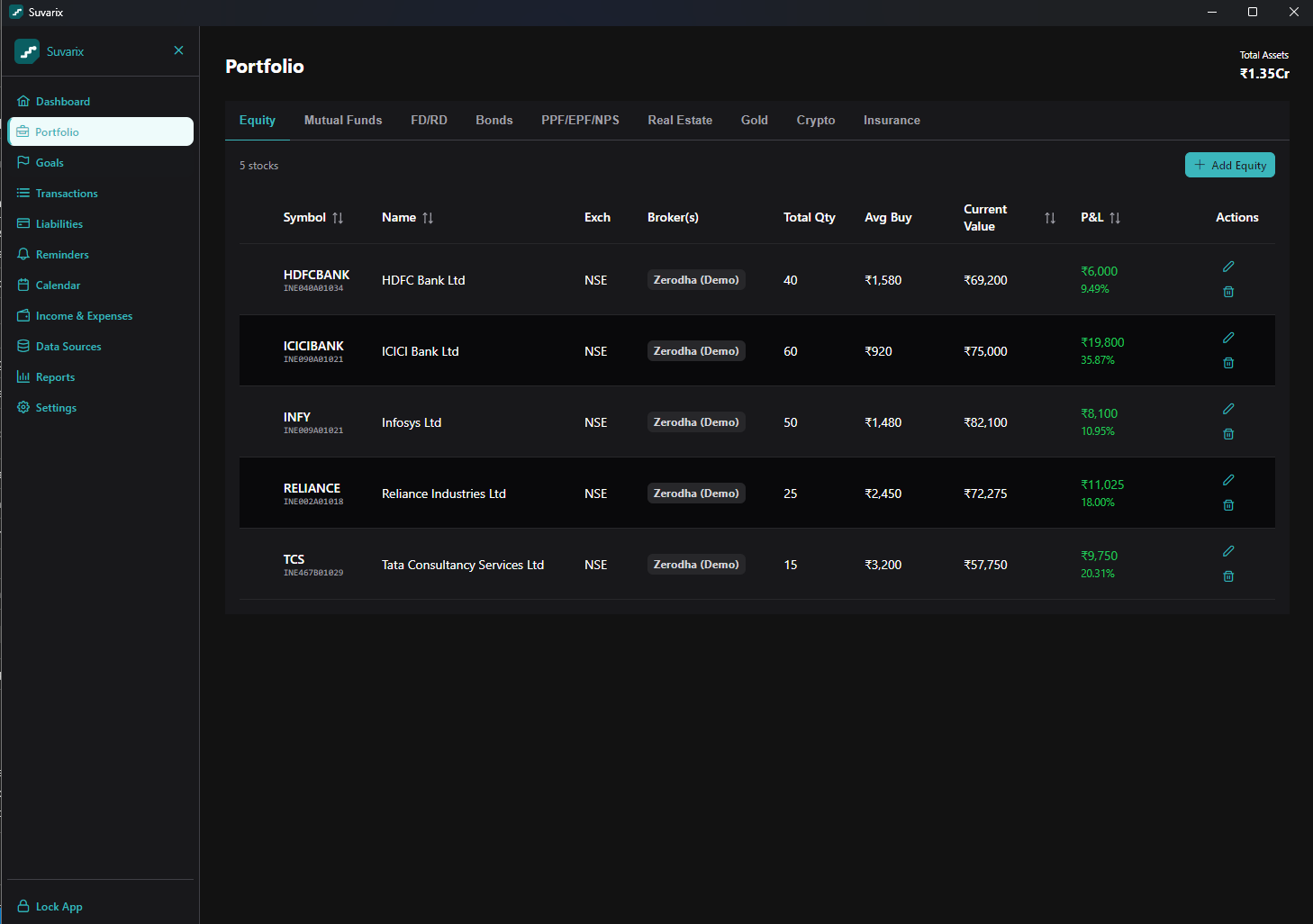
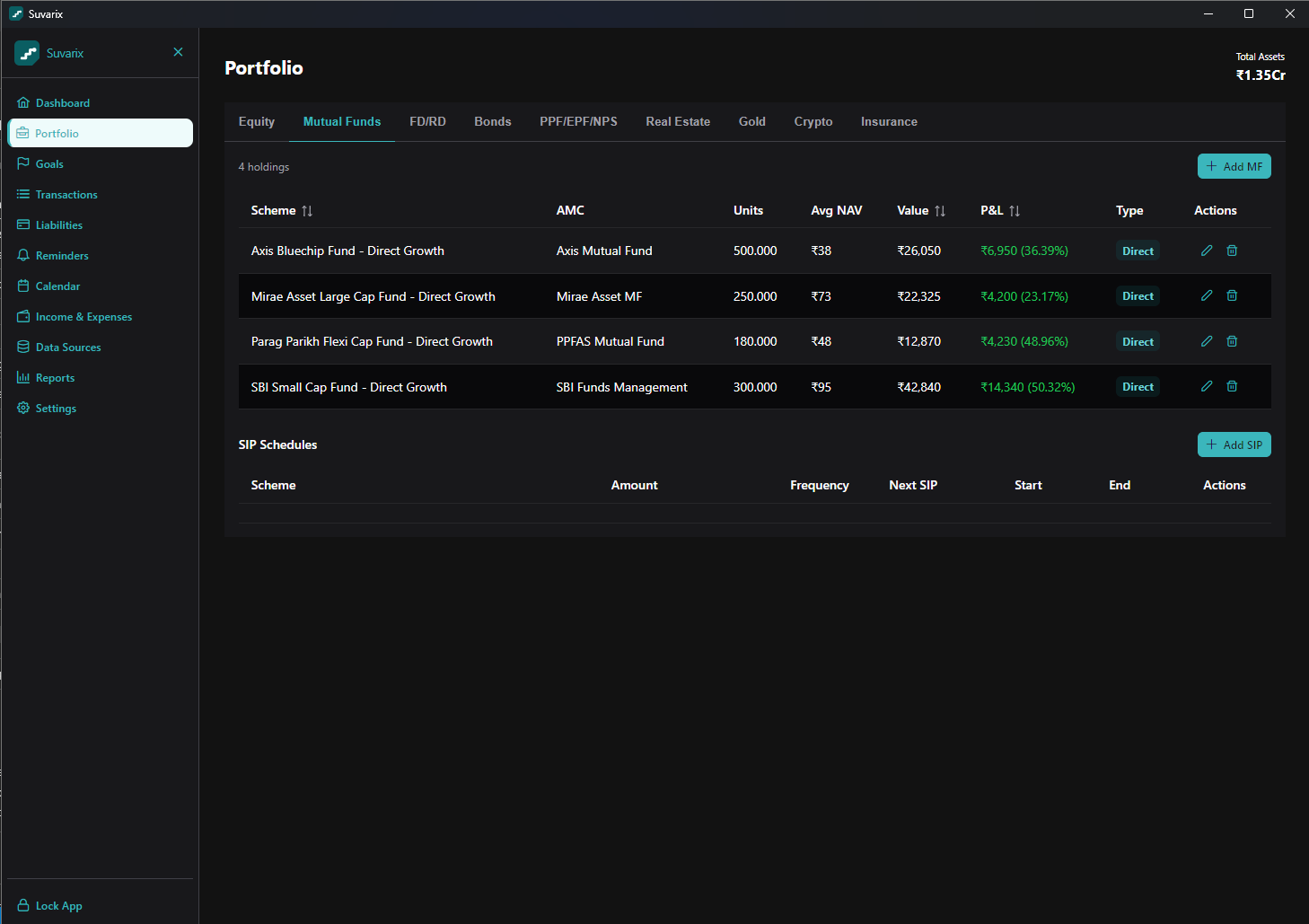
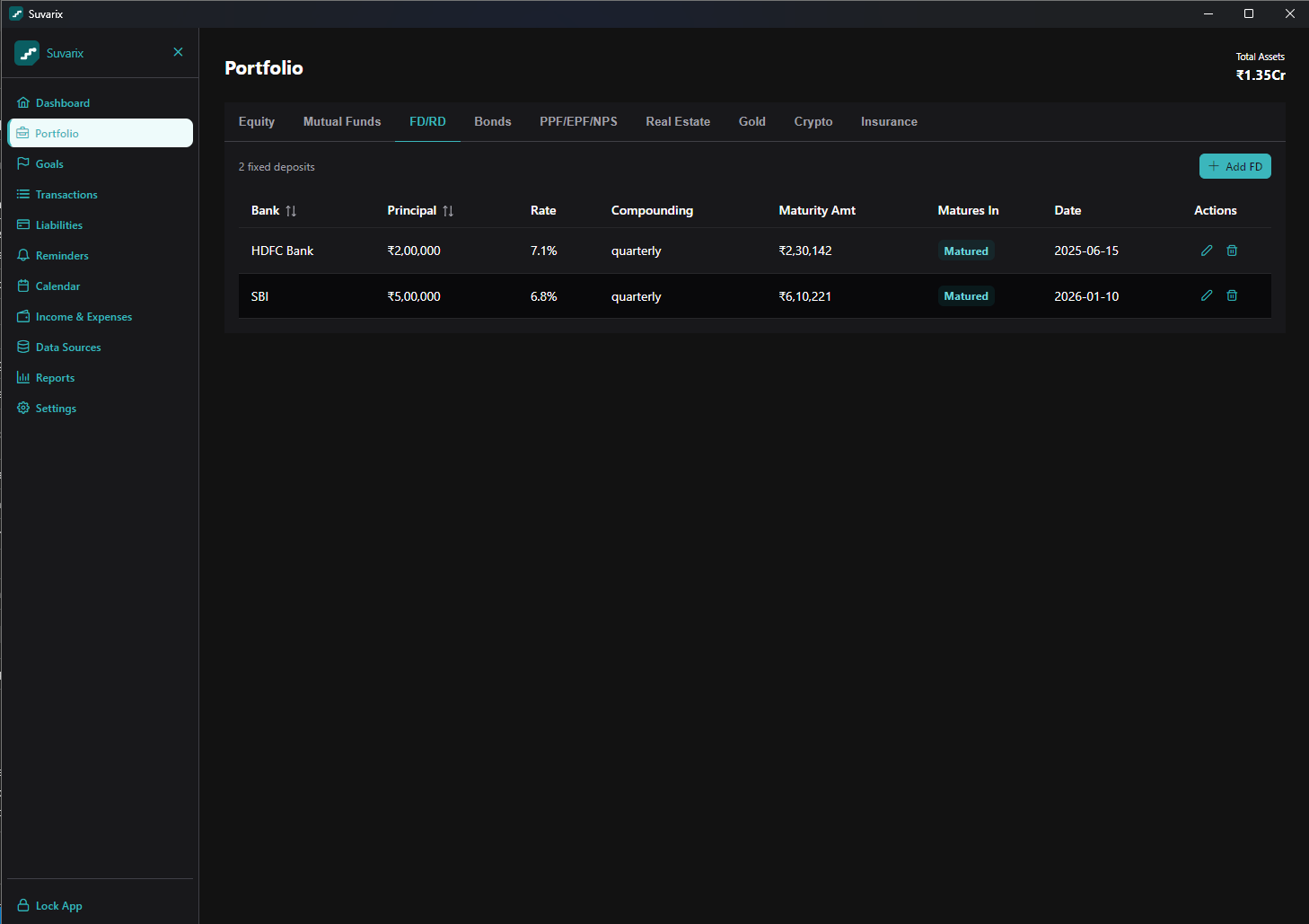
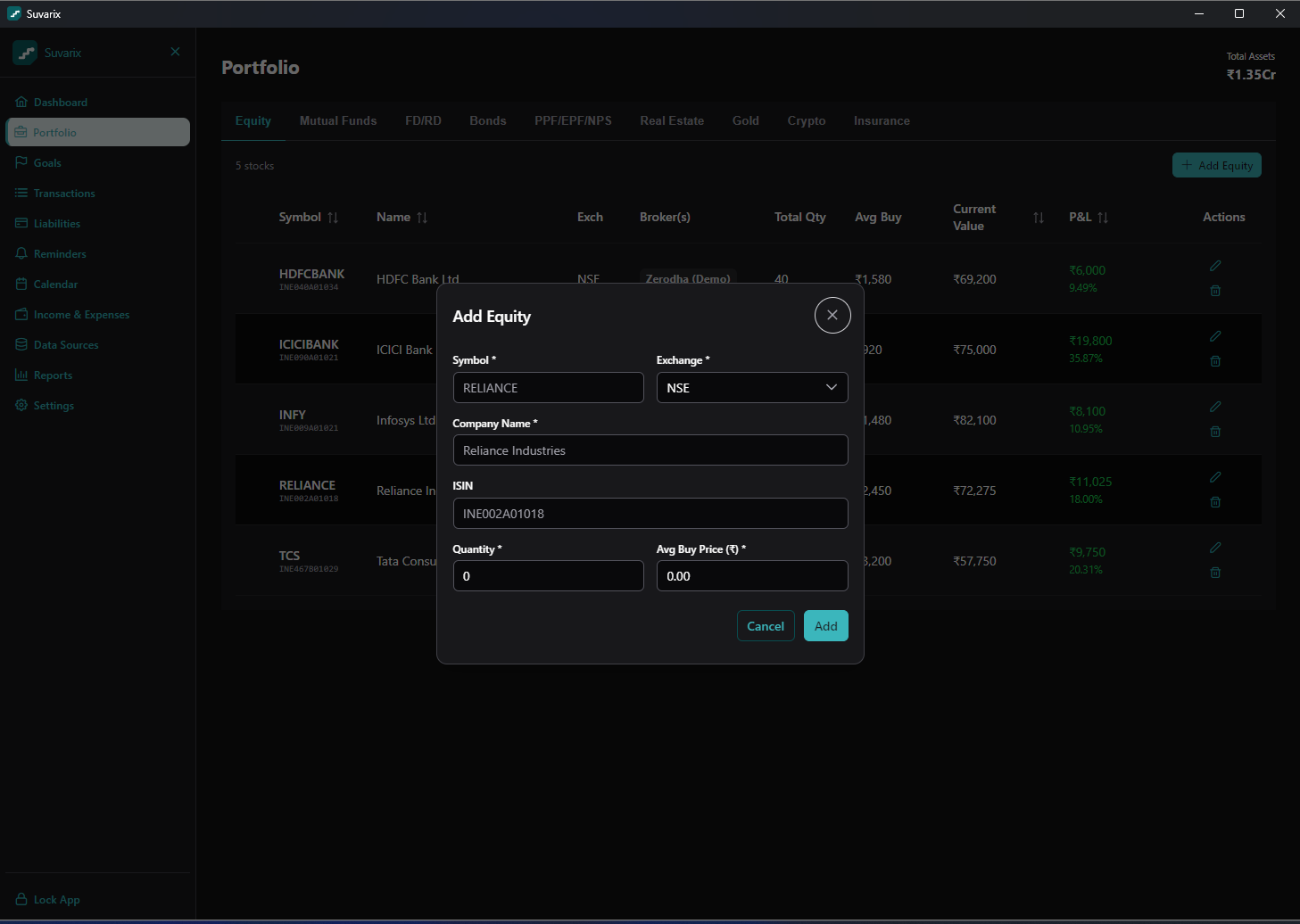
Portfolio — 9 asset classes in one place
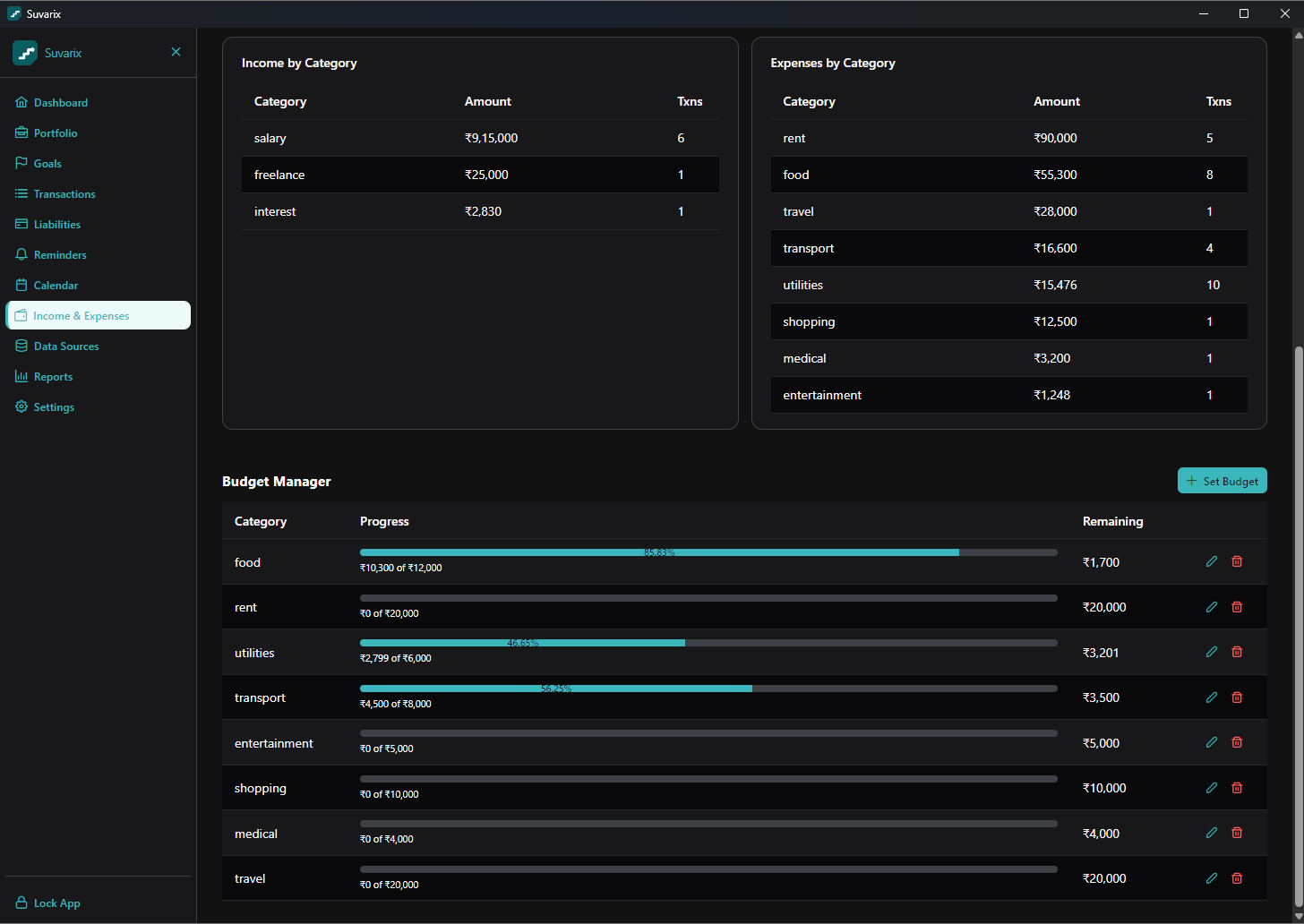
Equity, mutual funds, FDs/RDs, bonds, PPF/EPF/NPS, real estate, gold, crypto and insurance — each with live P&L. Add a holding by symbol with ISIN lookup, or pull it from your broker.
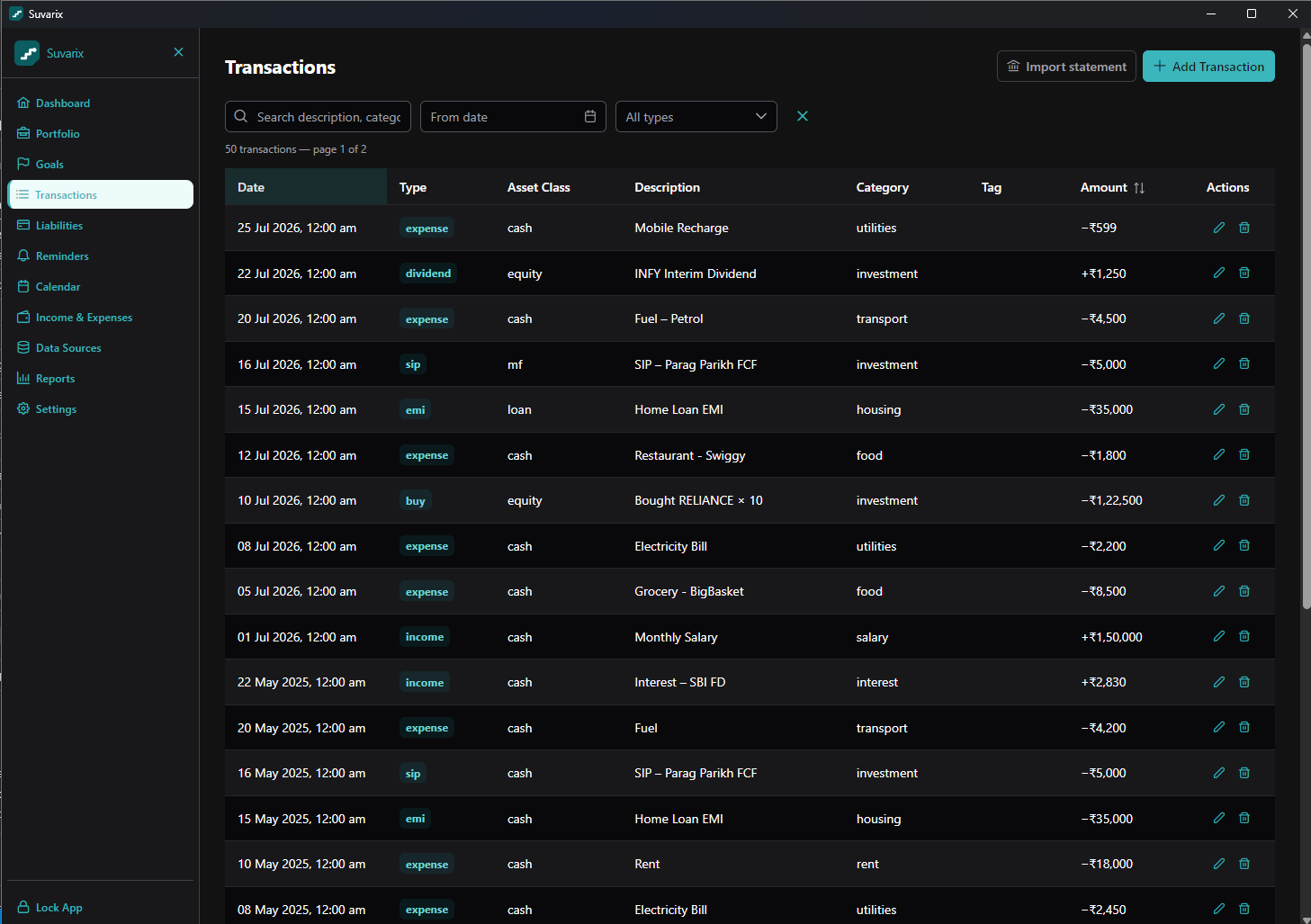
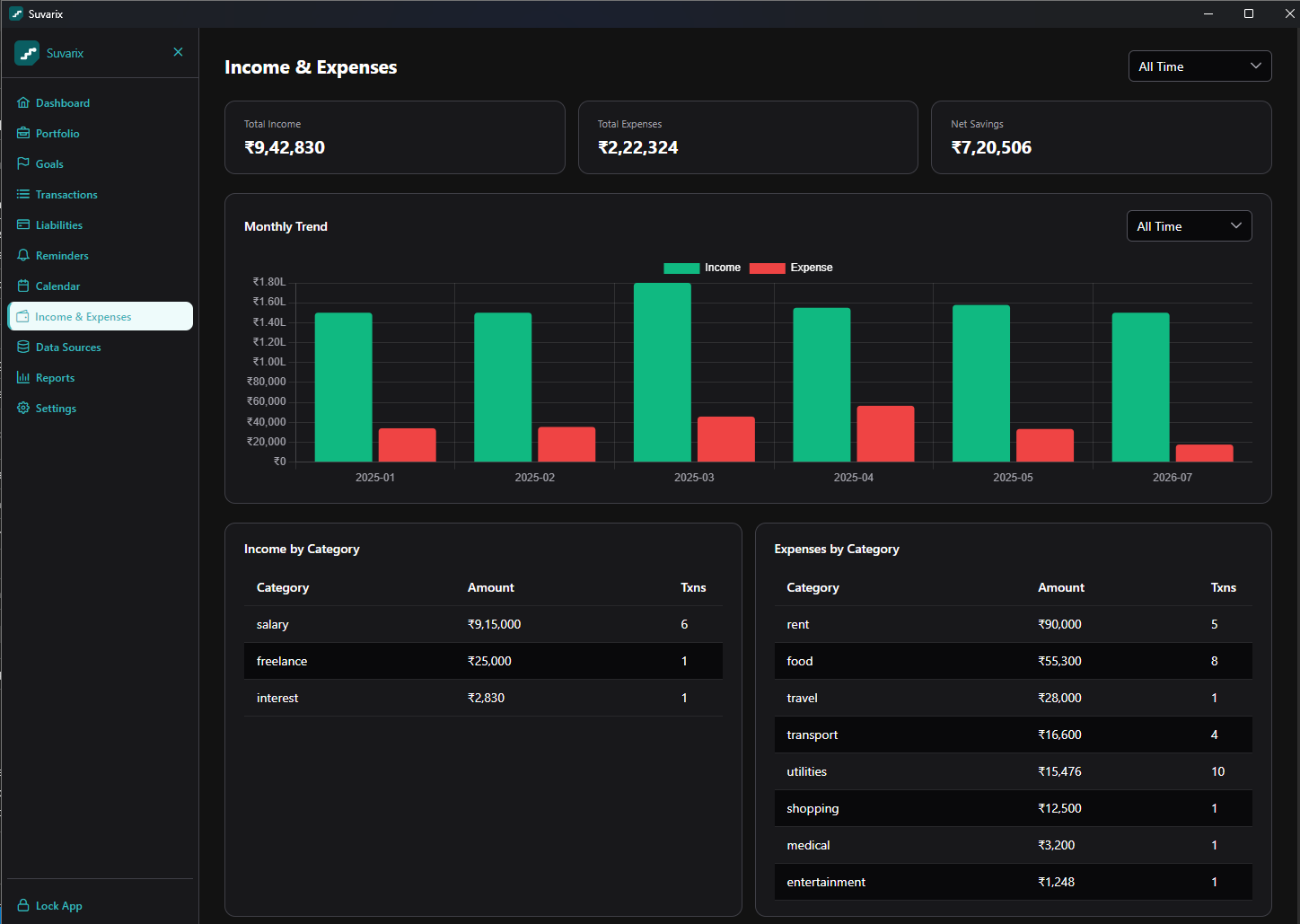
Money in & out — transactions, income & expenses
A full ledger with buys, SIPs, dividends, EMIs and everyday spends — import a bank statement or add by hand. Monthly income-vs-expense trends and category breakdowns show where the money goes.
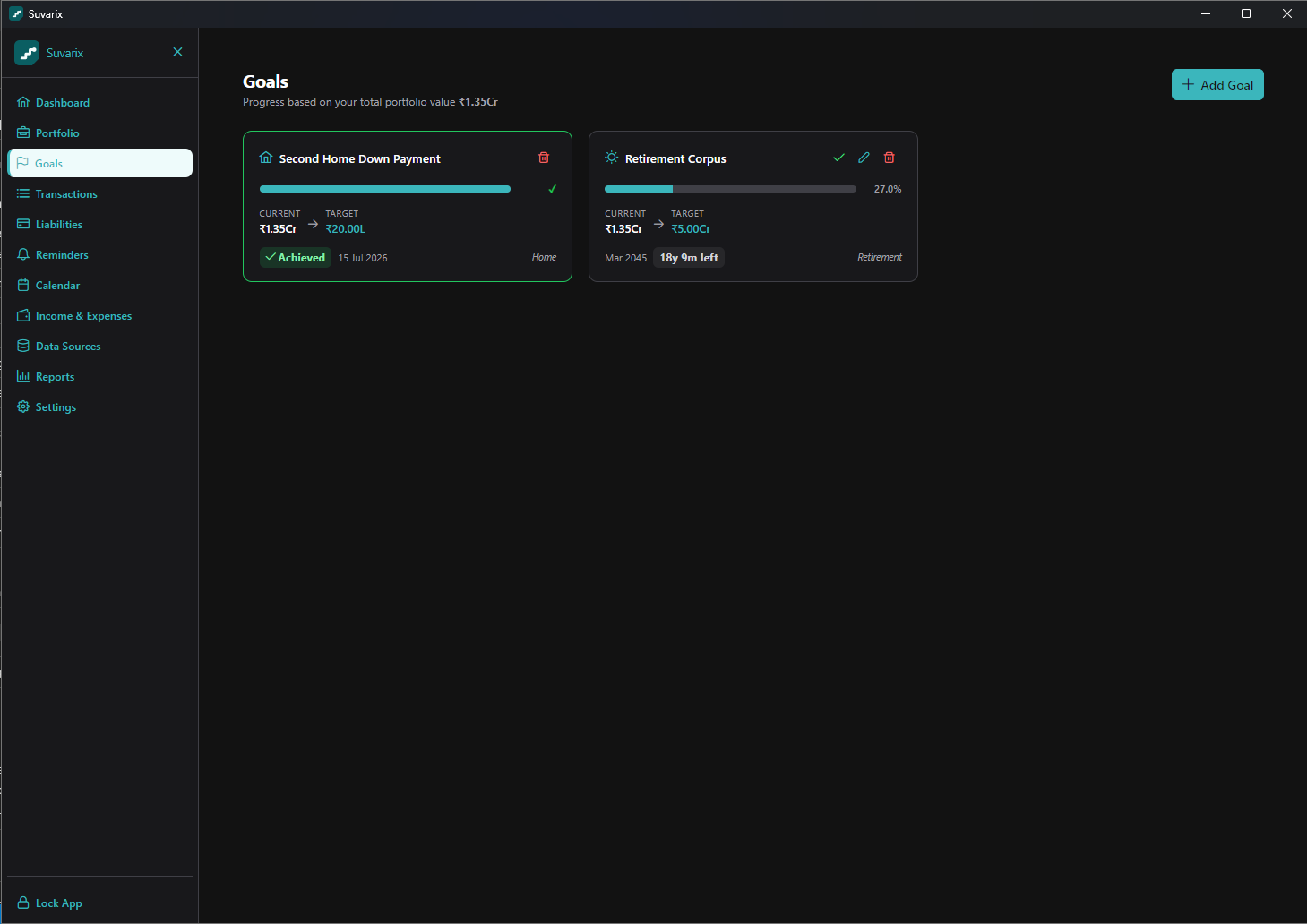
Goals & milestones
Track goals against your live portfolio value, and celebrate net-worth milestones from ₹1 Lakh to ₹10 Crore as you cross them.
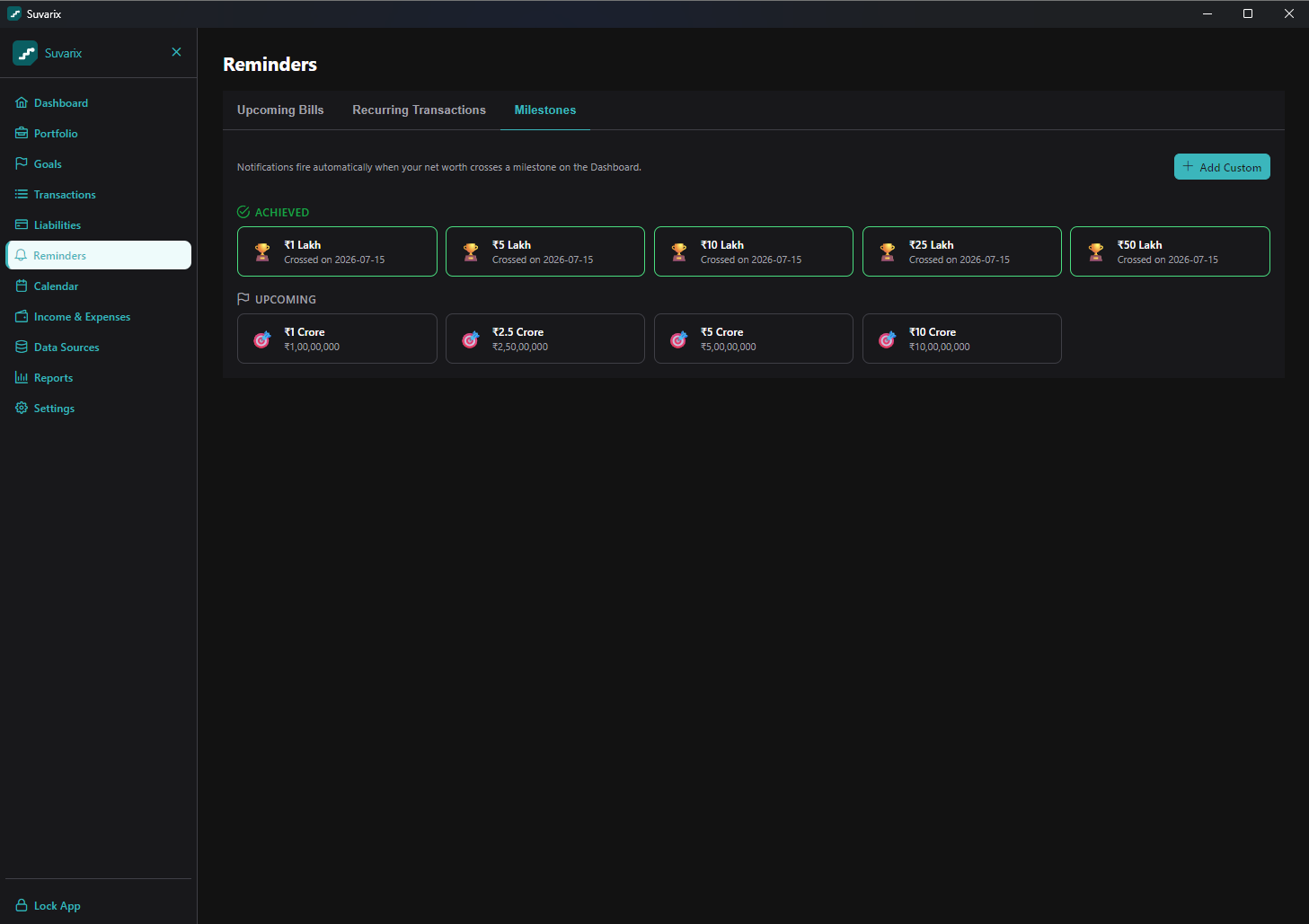
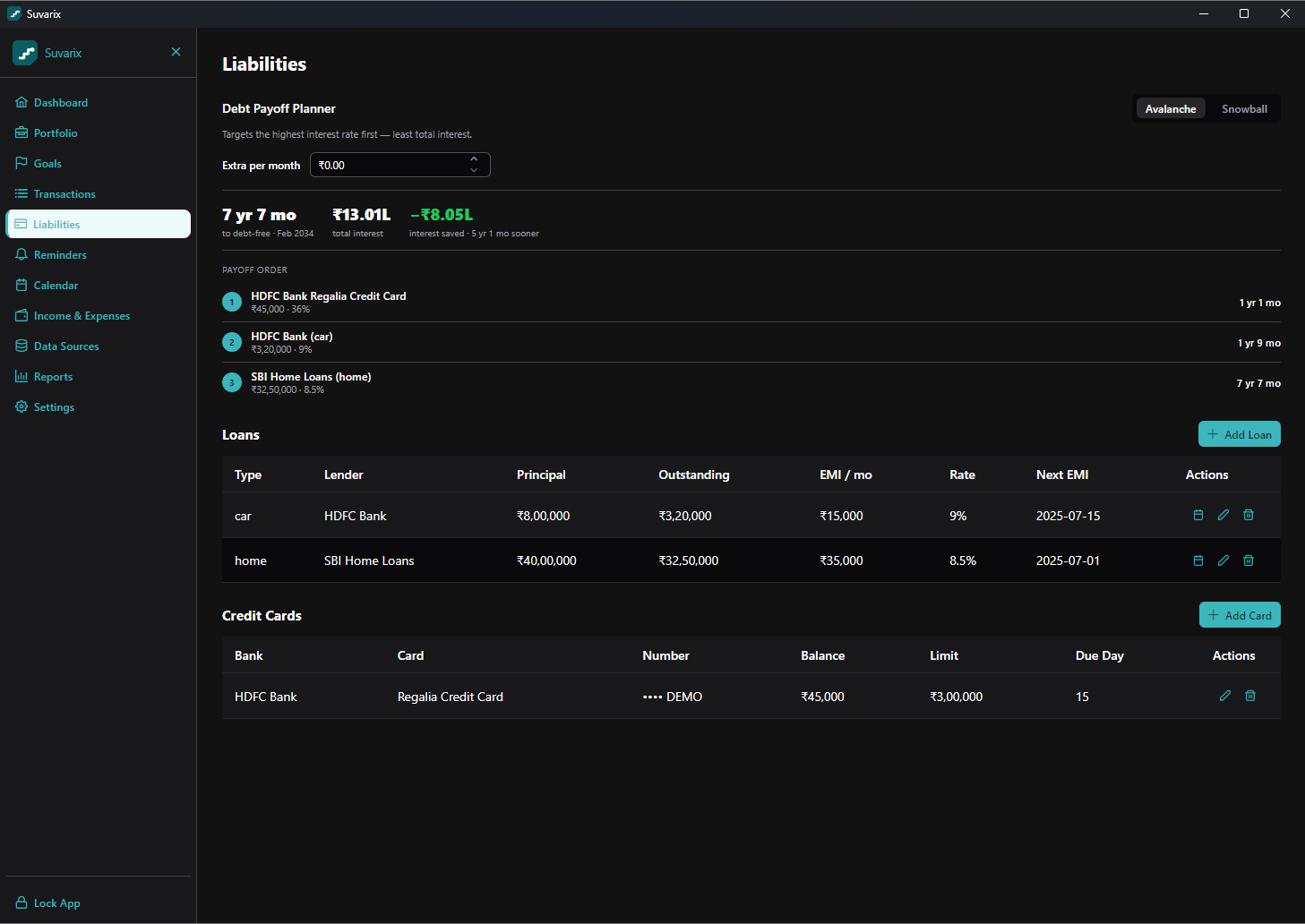
Liabilities & debt payoff
Loans and credit cards in one view, with an avalanche/snowball payoff planner that shows your debt-free date and the interest you’d save.
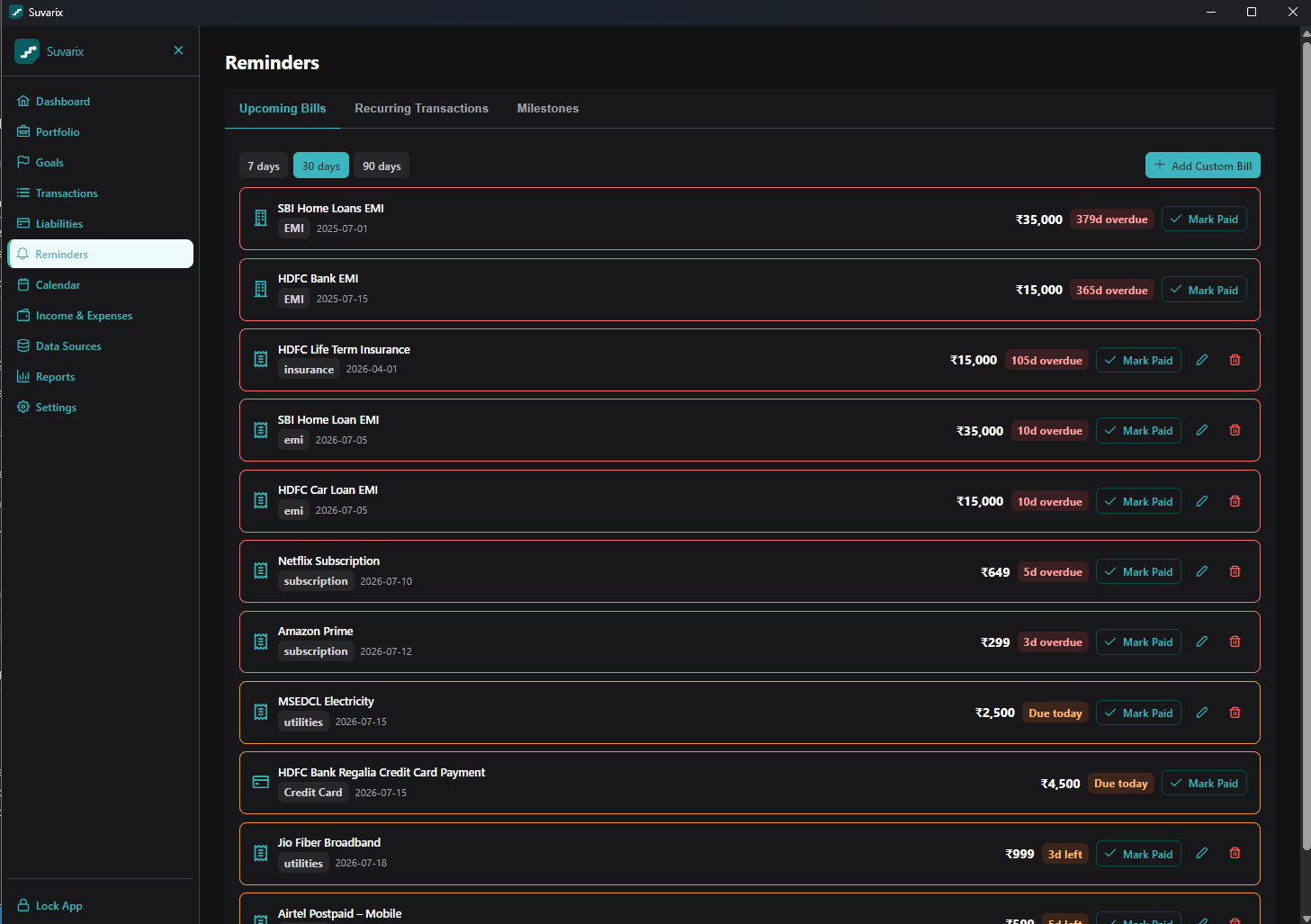
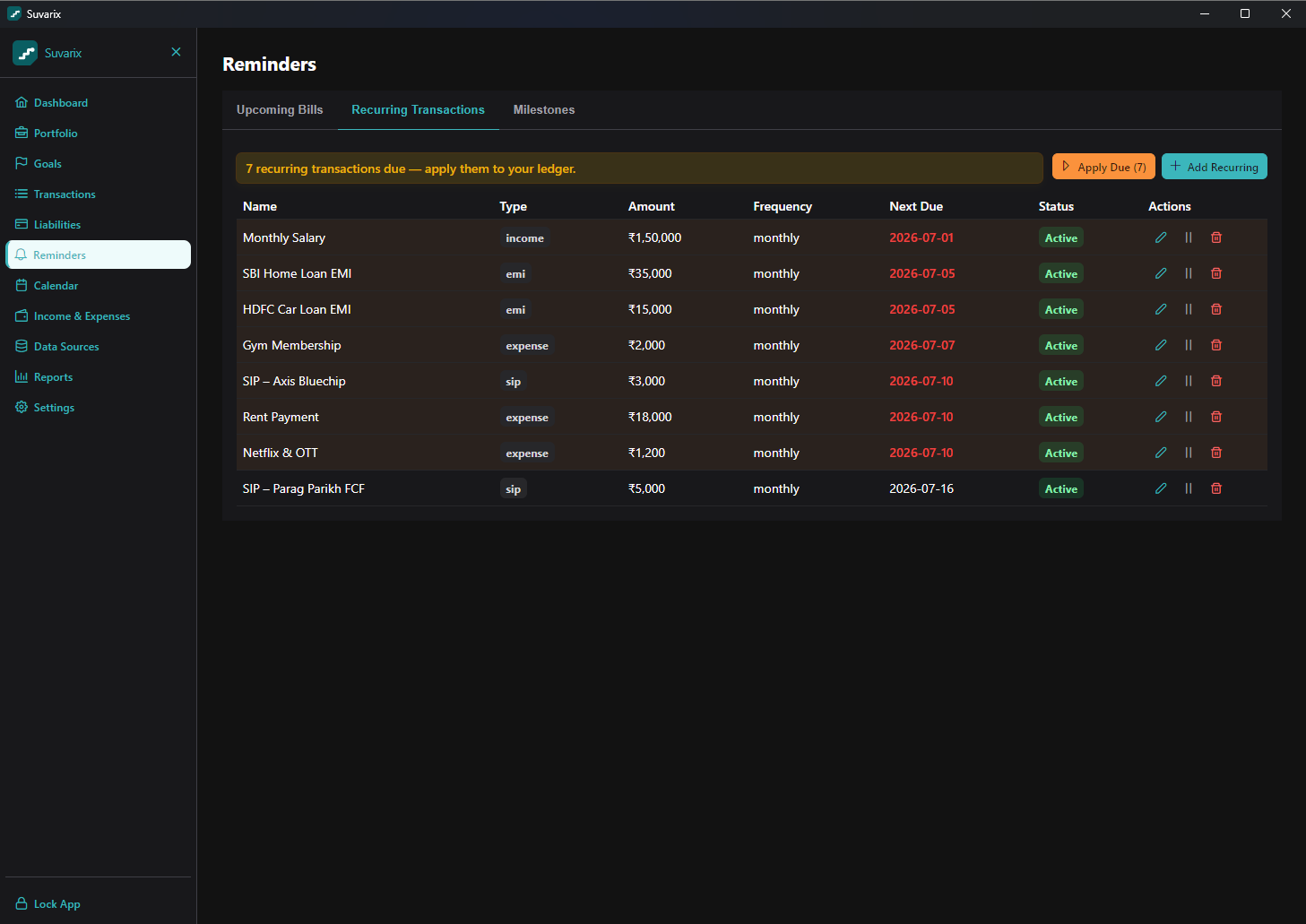
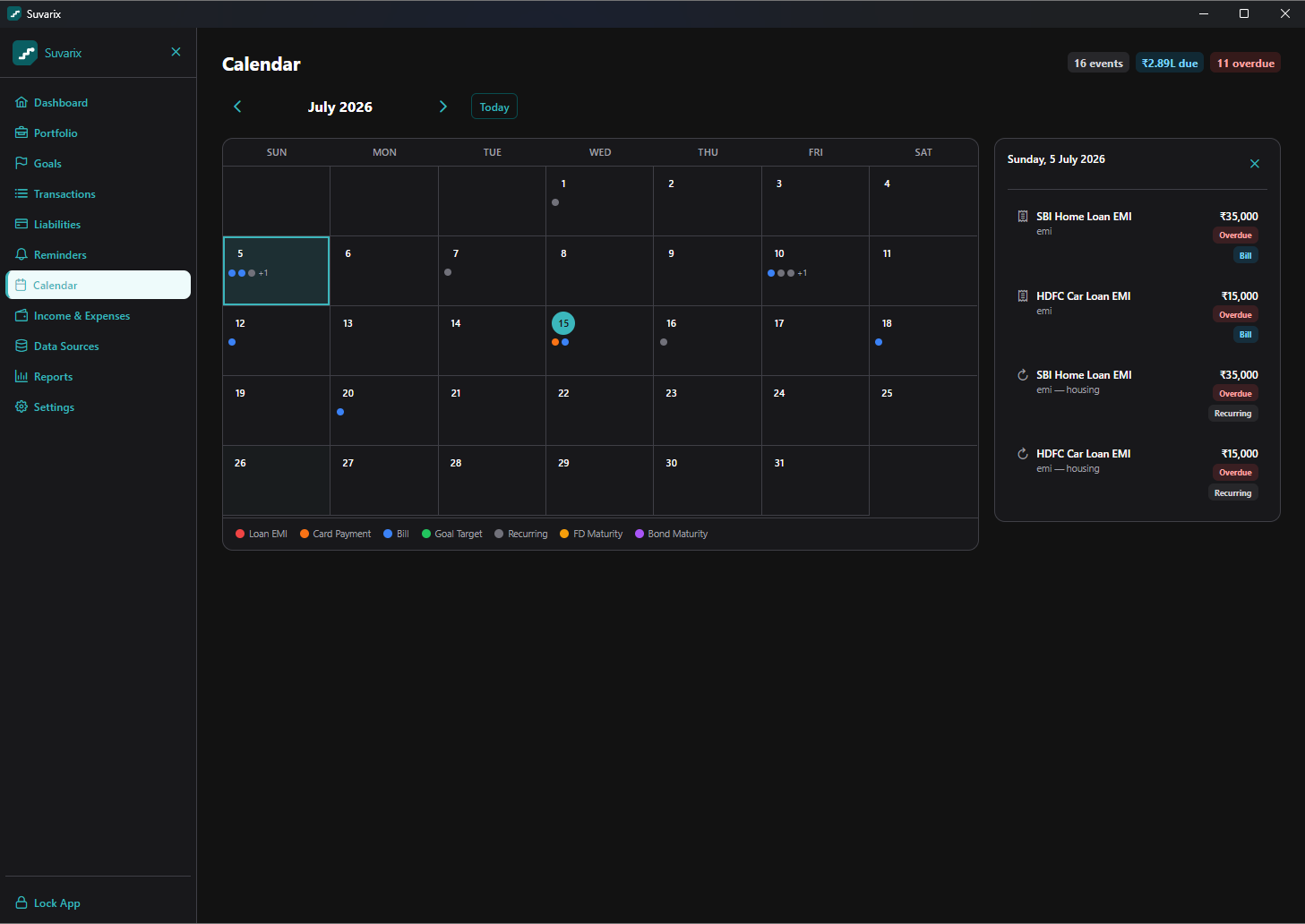
Never miss a bill — reminders & calendar
Upcoming bills, recurring transactions you can apply to the ledger in one click, and a calendar that lays out EMIs, card payments, FD maturities and goal dates.
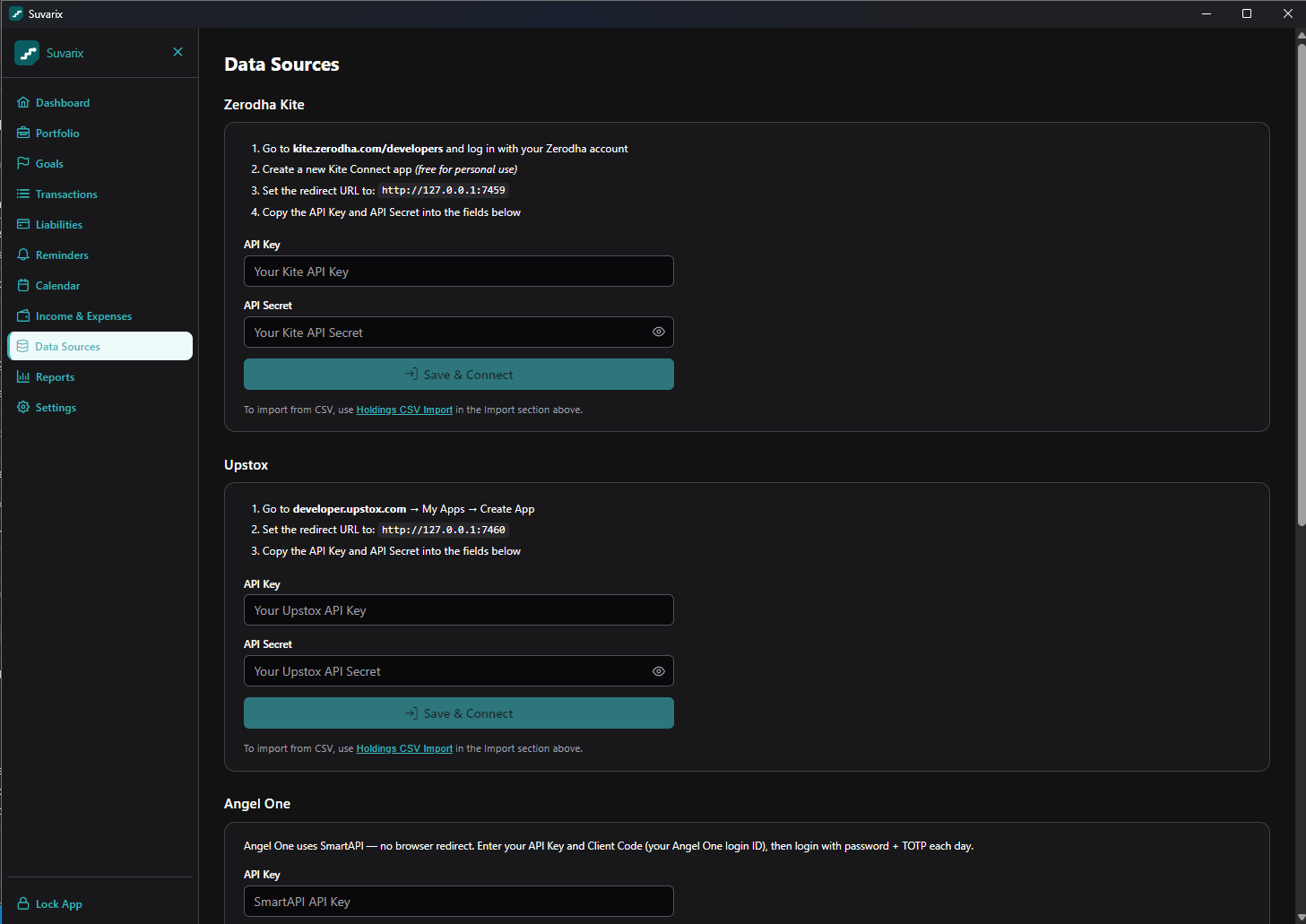
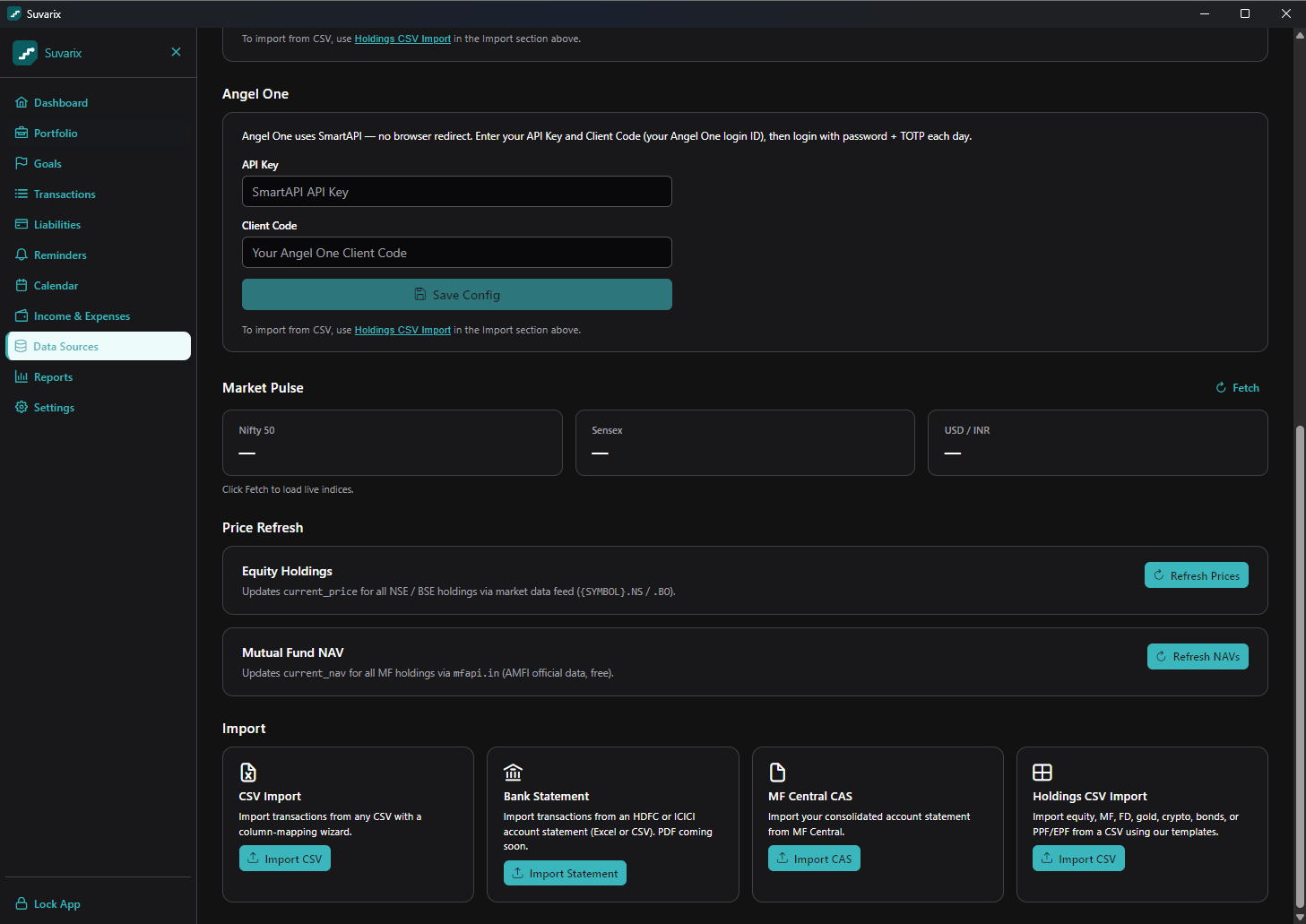
Connect your brokers & import statements
Link Zerodha, Upstox or Angel One with your own API keys, or import CSVs and CAS files — the credentials stay encrypted on your device.
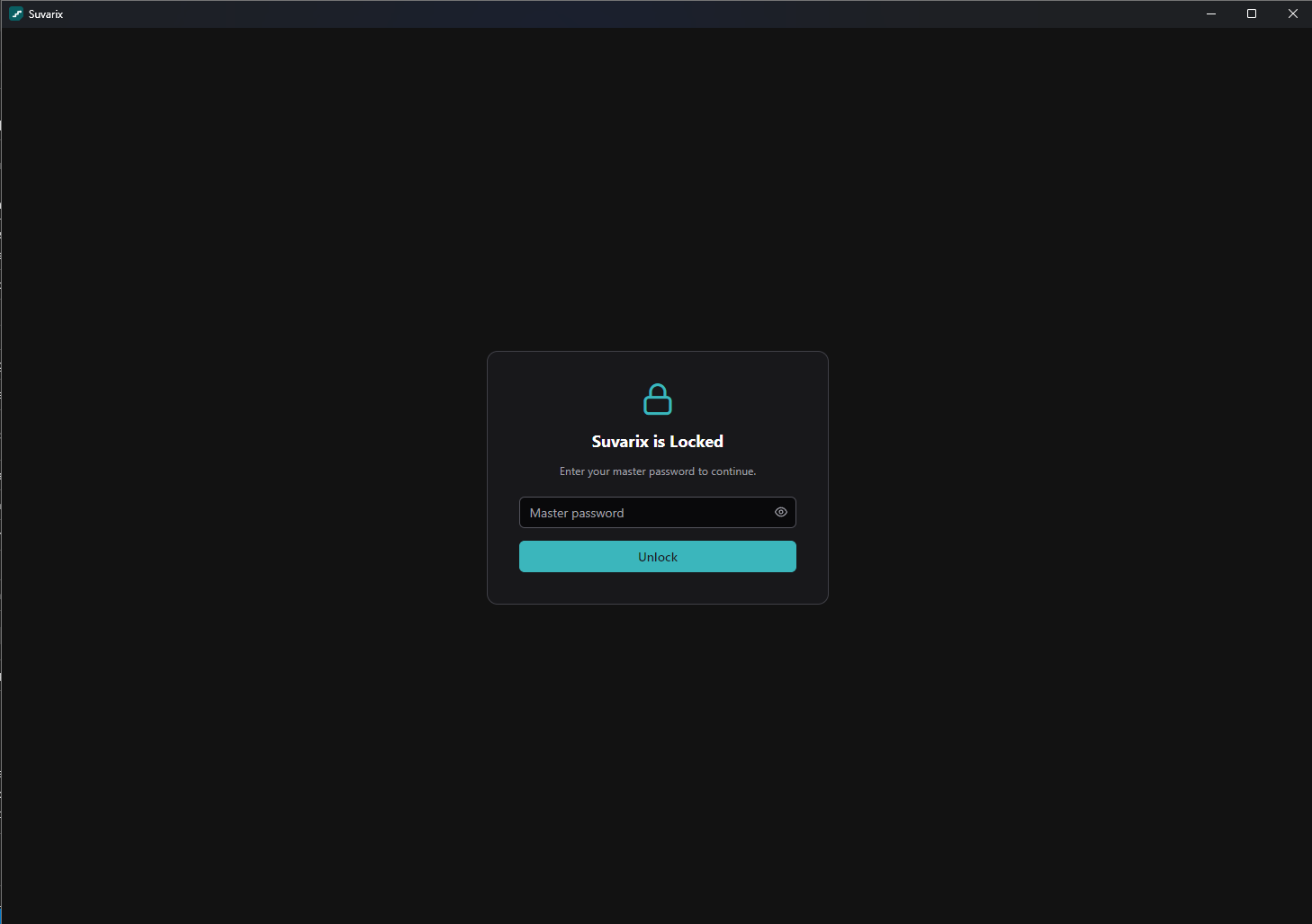
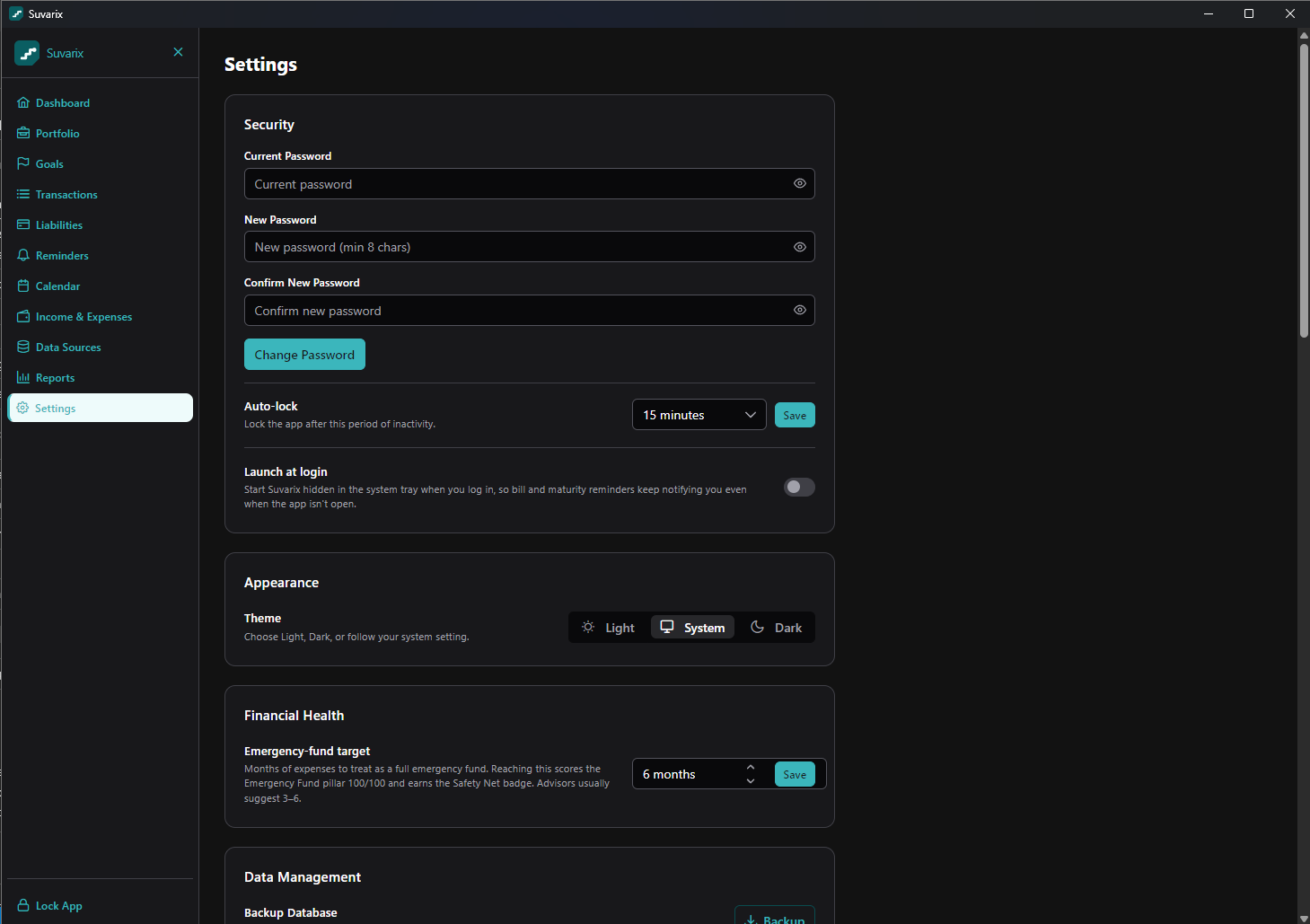
Security & settings
Everything sits behind a master password. Auto-lock, encrypted backups, and optional encrypted sync to a folder you control.
FAQ
Do you see my data? No. There’s no backend. Everything is local and encrypted; even the optional cloud-sync file is encrypted with a password only you hold.
What if I forget my master password? It can’t be recovered — not even by the developer. Keep a backup and remember it.
Is it free? Yes, free to use. It is not open-source; source is proprietary. See the EULA .
Investment advice? None. Suvarix shows your numbers for information only. The developer is not a SEBI-registered adviser.
Suvarix is provided "as is", without warranty. Not financial, tax, or investment advice. © 2026.